Amazon Variation Listings: Parent-Child Setup Best Practices [2026]
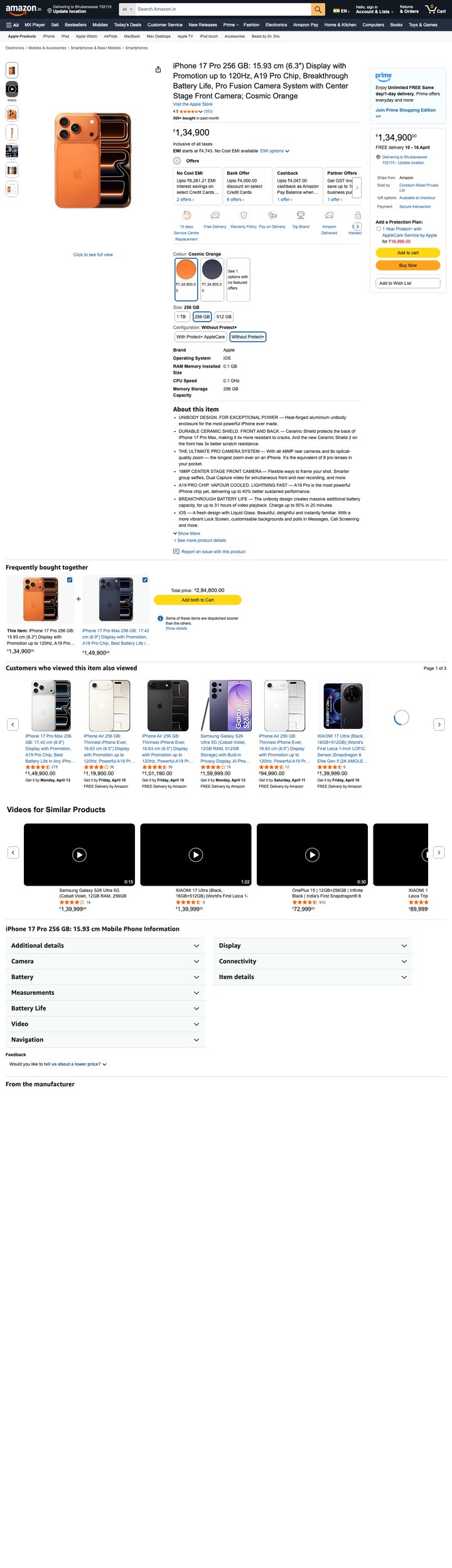 Built by zonfy in 90 seconds
↑ Real output. Try it free →
Table of contents
What Are Variation Listings
Amazon variation listings group multiple related products under a single product detail page. Customers see one listing with selectable options — color, size, flavor, pack size — and the page updates dynamically as they choose.
The structure has two parts:
- Parent ASIN. The umbrella listing. Not buyable directly. Holds the shared product information.
- Child ASINs. The actual buyable variants. Each has its own ASIN, price, and inventory.
When a customer searches and lands on a variation listing, they see the parent page with a variant selector. Choosing red-medium navigates to the red-medium child ASIN's specific page.
Done right, this consolidates reviews, ranking signals, and traffic onto a single listing. Done wrong, it dilutes them.
When to Use Variations
Use variations when products share:
- The same brand and base product
- The same general use case
- Differences only in attributes that a customer would expect to choose between (color, size, scent, capacity)
Do not use variations when products are functionally different — separate listings serve those better. A red T-shirt and a blue T-shirt belong in one variation. A T-shirt and a tank top belong in separate listings even if they are in the same brand.
Common Variation Themes by Category
Amazon enforces specific variation themes per category:
| Category | Common variation themes |
|---|---|
| Clothing | Size, Color, Size+Color |
| Beauty | Size, Scent, Color, Pattern |
| Electronics | Size, Color, Storage Capacity, ColorSize |
| Home & Kitchen | Color, Size, Material |
| Books | Format (Hardcover/Paperback/Kindle) |
| Toys | Size, Color, Style |
| Food & Grocery | Flavor, Size, ProductGroup |
Pick the theme during initial parent creation — changing themes later requires deleting child ASINs and rebuilding the variation family, which loses reviews.
Try zonfy free
Generate Amazon listings in 90 seconds
Title, 5 bullets, description, backend keywords, and 7 gallery images — generated in 90 seconds. Drop straight into Seller Central.
Generate Full Listing →Your first generation is free. No credit card required.
Optimization Strategy
Three optimization choices that affect variation listing performance:
Hero variant selection. Amazon's algorithm decides which child variant displays as the default when a customer lands on the parent listing. This is usually the highest-converting or highest-reviewed child. You cannot directly set the hero, but you can influence it by ensuring your best product (best images, best reviews, best price) gets the most traffic.
Title consistency. Each child ASIN inherits the parent title with variation attributes appended. Keep parent titles attribute-agnostic ("Stainless Steel Food Storage Containers, Set of 5"), then variations append ("- Color: Silver" or "- Size: Medium").
Image strategy. Each child should have its own main image showing that specific variant. Generic stock images across all variants confuse buyers and hurt conversion. AI image generators (or basic photography) can create variant-specific images at low cost.
Review consolidation. All reviews on child ASINs appear under the parent listing. This is the biggest benefit of variations — consolidated social proof. Splitting similar products into separate listings fragments review counts and hurts ranking.
The Most Common Setup Mistakes
These four mistakes recur across thousands of new variation listings:
1. Combining unrelated products. Putting a phone case and a phone charger under one variation parent — Amazon will reject and may flag the account.
2. Inconsistent main images. All children sharing one main image of the parent's hero variant — customers click "Blue" and see a red product, conversion tanks.
3. Wrong variation theme. Choosing "Color" for products that vary by size — Amazon may delist the listing or require rebuild.
4. Hiding poor performers. Adding a low-quality, low-priced child to a strong variation family — the variant's low conversion rate drags the parent's overall conversion signal down.
How A+ Content Works with Variations
Amazon A+ Content can be applied at the parent level so all children share it, or independently per child. The standard approach:
- Parent-level A+ Content for shared brand and product story
- Child-level A+ Content only when variants need genuinely different messaging (e.g., a "pro" and "lite" model in a tech variation family)
The 2026 spec for parent-level A+: same modules as any A+ Content (1464×600 desktop + 600×450 mobile for Premium). Variation-specific imagery should be inside the main image gallery, not duplicated in A+.
For sellers who use AI-generated A+ Content (like zonfy), generate one Premium A+ set at the parent level and let it cover all children — saves time and credits versus per-child generation.
Compliance with 2026 Policies
Amazon tightened variation policies in 2025 and 2026 to prevent abuse:
- Cannot create variations between products with different UPCs unless they are functionally identical
- Cannot use variations to inflate review counts artificially
- Cannot vary brand within a single variation family
- Cannot variate between Adult Use and standard products
Violation can lead to ASIN suppression or in serious cases account warnings. The safest path: only group genuinely related variants and document the relationship clearly in the variation theme metadata.
Variation Listings and PPC
Sponsored Products campaigns can target either parent or child ASINs. Best practice:
- Manual campaigns: target specific child ASINs that you know convert best
- Automatic campaigns: target parent ASINs to let Amazon optimize across variants
- Search-term reports: track child-ASIN-specific queries to find which variant attracts which buyer segments
Bidding on parent-level often runs cheaper because Amazon spreads spend across all children. Bidding on the best-performing child concentrates spend but converts higher.
The Bottom Line
Variation listings are one of the strongest tools Amazon gives sellers for consolidating ranking, reviews, and traffic. The structure rewards careful setup at the start and punishes shortcuts later — getting the parent-child theme wrong is hard to undo without rebuilding.
For new sellers, the rule is: variate where customers would expect to compare side-by-side, separate where they would not. For existing sellers with fragmented listings, an audit to consolidate orphaned children into a unified variation family often improves rankings within 30–60 days.